
Download Worm Blaster – real-time protection, malware removal, virus scanner, external drive security, system repair
Overview
Worm Blaster is a security-focused tool designed to protect Windows systems from malicious software and harmful files originating from the internet and external storage devices. Its primary function is to deliver real-time protection against threats such as spyware, trojans, and viruses, while also offering the ability to repair damage caused by prior infections. This dual-purpose approach makes it a valuable utility for users seeking both preventive and corrective measures in system security. The app is particularly suited for individuals who prioritize device integrity and want a lightweight, no-installation solution for immediate threat detection and mitigation.
Given its release date in 2010, Worm Blaster reflects an early-generation security model focused on real-time monitoring and system repair. While modern antivirus tools have evolved significantly since then, Worm Blaster remains relevant for users who require a simple, standalone utility without the overhead of full system integration. It is especially useful for users who frequently connect external drives or access untrusted websites and need a quick, efficient way to scan and protect their systems. The tool is not intended for enterprise-level deployment but rather for individual users seeking a straightforward, on-demand security solution.
The developer, Worm Blaster, has not provided additional information regarding their background or development history. As such, the app’s reliability and long-term support cannot be assessed beyond its initial release. Nevertheless, the app’s core functionality—real-time protection, malware removal, and system repair—remains aligned with foundational security needs in the digital ecosystem. Its presence underscores the ongoing demand for accessible, no-installation security tools, even in an era dominated by complex, subscription-based antivirus platforms.
Key Features & Functionality
- No Installation Required: Worm Blaster operates as a standalone executable, allowing users to run it directly without modifying system settings or registry entries. This makes it ideal for temporary use on shared or restricted devices.
- Real-Time Protection: Once launched, the tool continuously monitors system activity to detect and block malicious processes in real time, preventing unauthorized access or data exfiltration.
- Comprehensive Threat Coverage: The app scans incoming data from internet sources and external drives, identifying known malware signatures and suspicious behaviors to prevent infections.
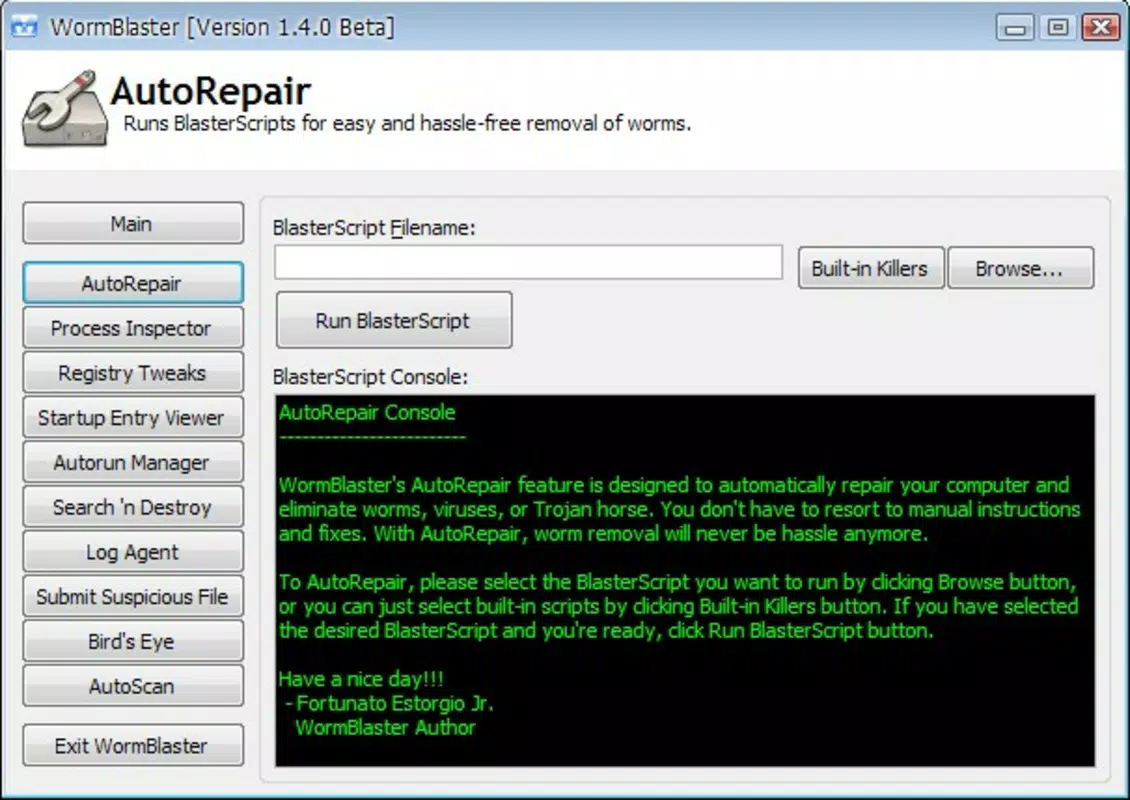
- Damage Repair Capability: In addition to prevention, Worm Blaster can restore system components compromised by previous malware attacks, helping users recover from past breaches without full system reinstallation.
For example, a user connecting a USB drive from an untrusted source can launch Worm Blaster to scan the device before accessing any files. Similarly, someone browsing a high-risk website can activate the tool to monitor for active threats during the session. These use cases highlight the app’s practicality in everyday scenarios where immediate protection is needed without long-term setup.
Although the developer did not provide details on detection algorithms or threat databases, the tool’s functionality suggests a signature-based scanning mechanism combined with behavioral monitoring. Its lightweight nature implies minimal system resource usage, making it suitable for older or low-spec Windows machines. However, users should be aware that its 2010 release date may limit its ability to detect newer, polymorphic malware strains without regular updates.
Interface, UX & Performance
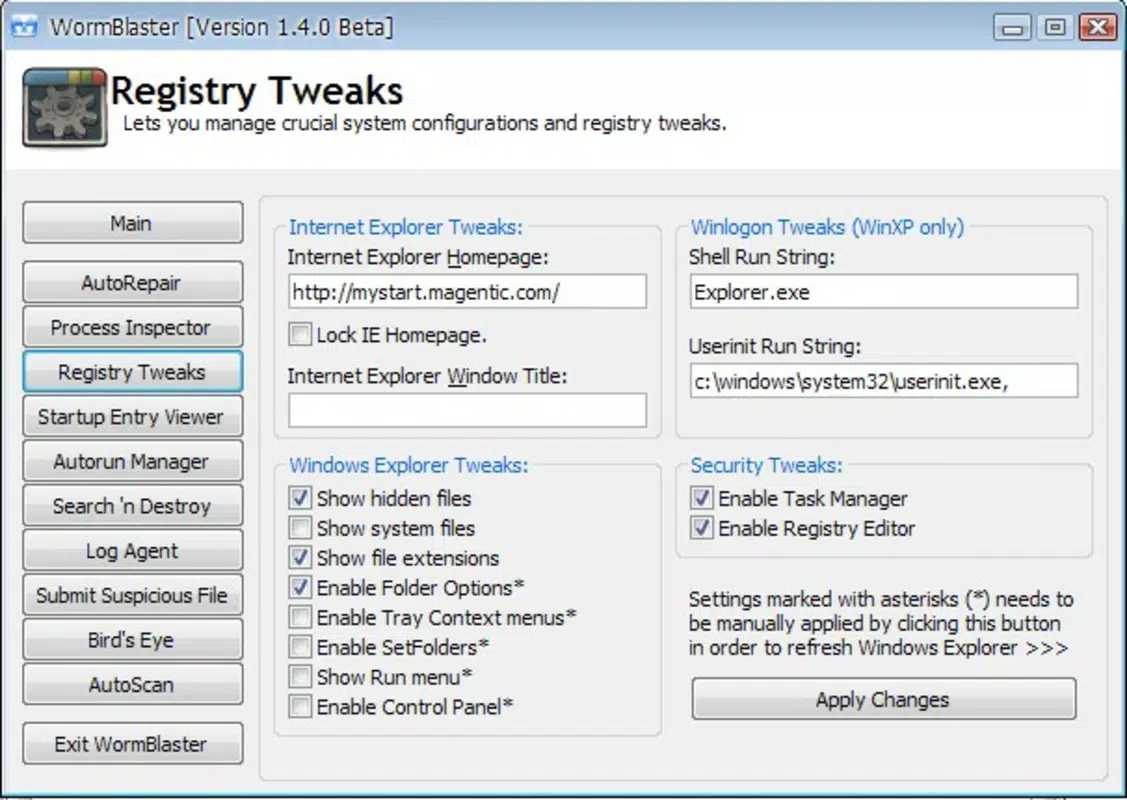
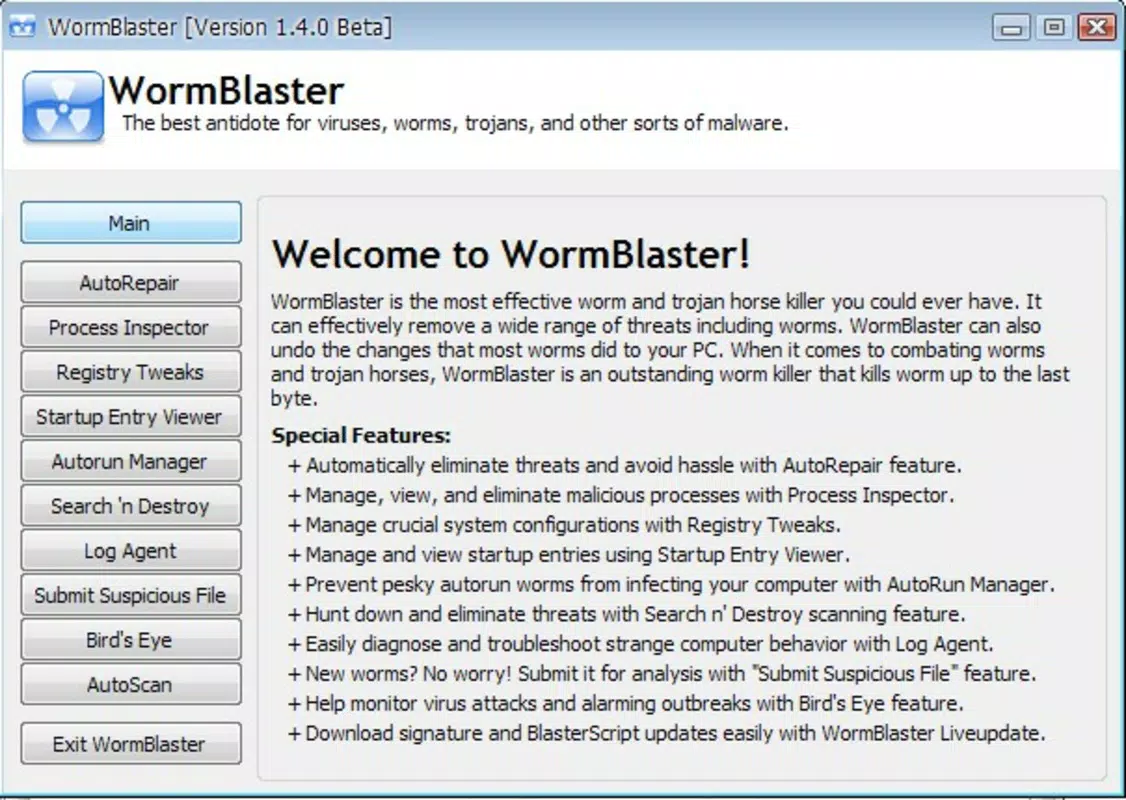
Worm Blaster features a minimalistic interface designed for straightforward operation. The user experience is centered around a single executable file with no setup wizard, configuration panels, or background services. This simplicity reduces cognitive load and enables rapid deployment, which is ideal for users seeking immediate protection without technical complexity.
Navigating the tool involves launching the executable and selecting scan options—such as quick scan, full system scan, or external drive scan—via a basic menu. The absence of a persistent UI ensures the app does not interfere with ongoing tasks, maintaining system responsiveness. Although the developer did not list formal performance metrics, the 2.4 MB file size suggests a lightweight footprint, which typically correlates with low CPU and memory usage during operation.
Performance across different device categories remains uncertain due to the lack of specified system requirements. However, given its size and non-invasive nature, it is likely to function on older Windows systems with minimal impact. Responsiveness appears to be a strength, as the tool operates without noticeable lag during scans. Stability is implied by its long-standing presence since 2010, though no recent updates have been released.
Although the developer did not list formal performance metrics, the app’s design prioritizes speed and efficiency over advanced analytics or reporting. This makes it suitable for users who value immediate results over detailed logs or threat intelligence dashboards.
Platform Compatibility & Technical Requirements
Worm Blaster is designed exclusively for the Windows platform, with no indication of support for macOS, Linux, or mobile operating systems. The app is compatible with Windows systems, though specific OS versions were not listed by the developer. This lack of clarity means users should exercise caution when attempting to run the tool on newer Windows releases, as compatibility issues may arise due to changes in system architecture or security policies.
The application has a file size of 2.4 MB, which is relatively small for a security tool. This suggests it is optimized for minimal resource consumption and fast deployment. However, the developer did not specify minimum OS requirements, hardware specifications, or supported Windows versions, making it difficult to assess compatibility with modern systems such as Windows 11 or Windows 10.
Given the release date of 2010, users should consider whether the tool’s detection capabilities remain effective against current malware threats. Without a documented update history or active development cycle, it is unclear whether the app receives regular threat signature updates. Users are advised to verify the authenticity of the downloaded file and ensure their system is protected by a current antivirus solution when using Worm Blaster as a supplementary tool.
Pros and Cons
Pros
- Lightweight design with no installation required, ideal for quick scans
- Real-time protection helps prevent malware infiltration during active use
- Supports scanning of external drives, enhancing USB and device security
- Can repair system damage caused by prior malware infections
- Minimal system resource usage due to small file size
Cons
- Released in 2010; may lack support for modern malware threats
- No official update history or active development information
- Compatibility with newer Windows versions is uncertain
- Developer did not provide technical specifications or system requirements
- Does not include advanced features like cloud-based threat intelligence or automated updates
FAQ
Is Worm Blaster safe to download and use?
The app is available as a standalone executable, but users should verify the source and file integrity before running it. As a 2010-era tool, it may not be compatible with modern security standards.
Can Worm Blaster be used on Windows 10 or Windows 11?
Compatibility is uncertain, as the developer did not specify supported Windows versions. Users should test the app in a safe environment before relying on it.
Does Worm Blaster require internet access to function?
While not explicitly stated, real-time protection features likely require some network connectivity for threat detection, though the app may operate offline with cached signatures.
Is Worm Blaster free to use?
No, Worm Blaster is priced at $29.99. It is not a free tool, and users should confirm the legitimacy of the purchase source.
Can Worm Blaster be used alongside other antivirus software?
Yes, due to its no-installation nature, it can be run in parallel with other antivirus tools. However, multiple real-time scanners may conflict or degrade performance.
Final Thoughts
Worm Blaster presents a niche solution for users seeking a lightweight, no-installation security tool with real-time protection and system repair capabilities. Its minimal design and immediate usability make it suitable for temporary or emergency use, especially when scanning external drives or performing quick system checks. While its 2010 release date raises concerns about modern threat detection, the app’s core functions remain relevant for basic security tasks.
However, users should approach it with caution—particularly on newer Windows systems—given the lack of updated signatures, support, and compatibility details. It is best used as a supplementary tool rather than a primary defense mechanism. For those needing a simple, on-demand scanner without long-term commitments, Worm Blaster offers a functional, if outdated, option.
Download Worm Blaster now


